Granular synthesizer

Drop in two samples, grab an XY pad, and record the move. Granular synthesis you can actually play.
The idea
Made to be played, not programmed.
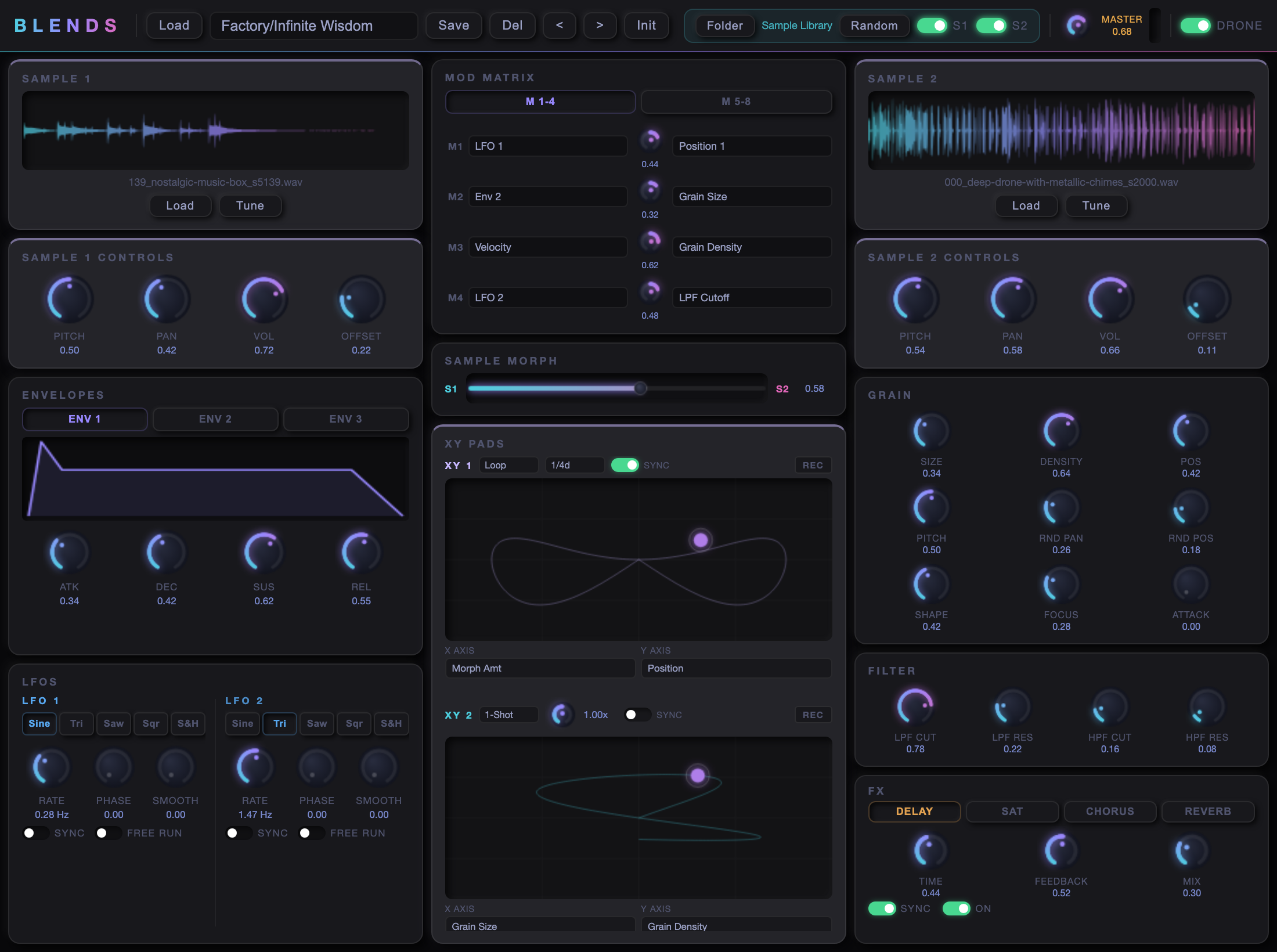
Granular synthesis has always been able to turn a plain sample into something alive — it has just never been much fun to steer. Blends doesn't reinvent any of it. It takes the same engine and puts it under your fingers: two samples, a morph between them, and two XY pads you map to whatever you want to move.
Instead of typing in grain sizes and densities, you drag — and you hear the sound open up as you go. It's the difference between reading about a synth and actually playing one.
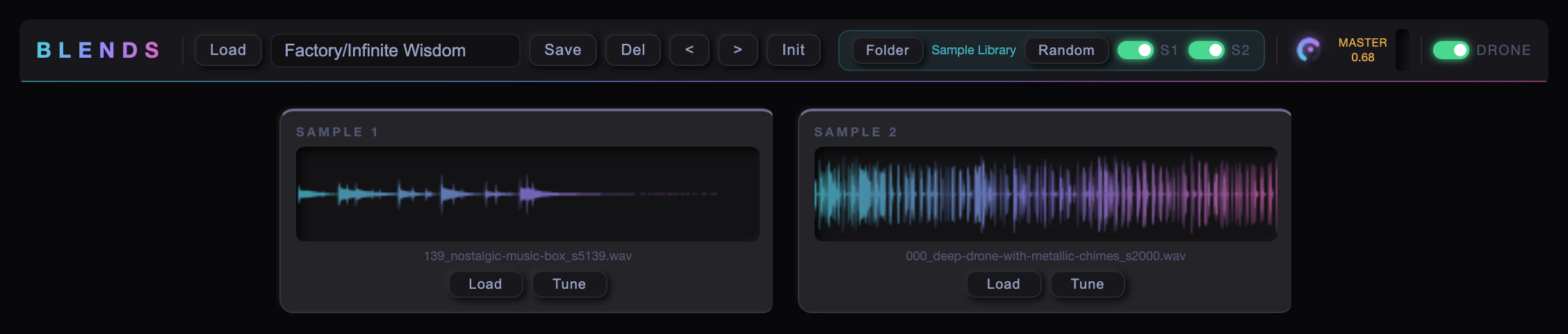
Hit Random Sample and Blends pulls two sounds from your own library and blends them — a quick way to stumble onto a pairing you'd never have chosen on purpose. Or open one of the 100+handcrafted presets and tweak from there.
A closer look
Everything within
arm's reach
Let it pick the pair
Point Blends at a folder of your own sounds and press Random. It drops a sound into each slot and morphs between them — a field recording against a cello, a drum loop against a choir. Choose whether it replaces one slot or both, and keep pressing until something stops you. It is the fastest way past the blank page, and the pairings are ones you would never have chosen on purpose.
Record the move, not just the sound
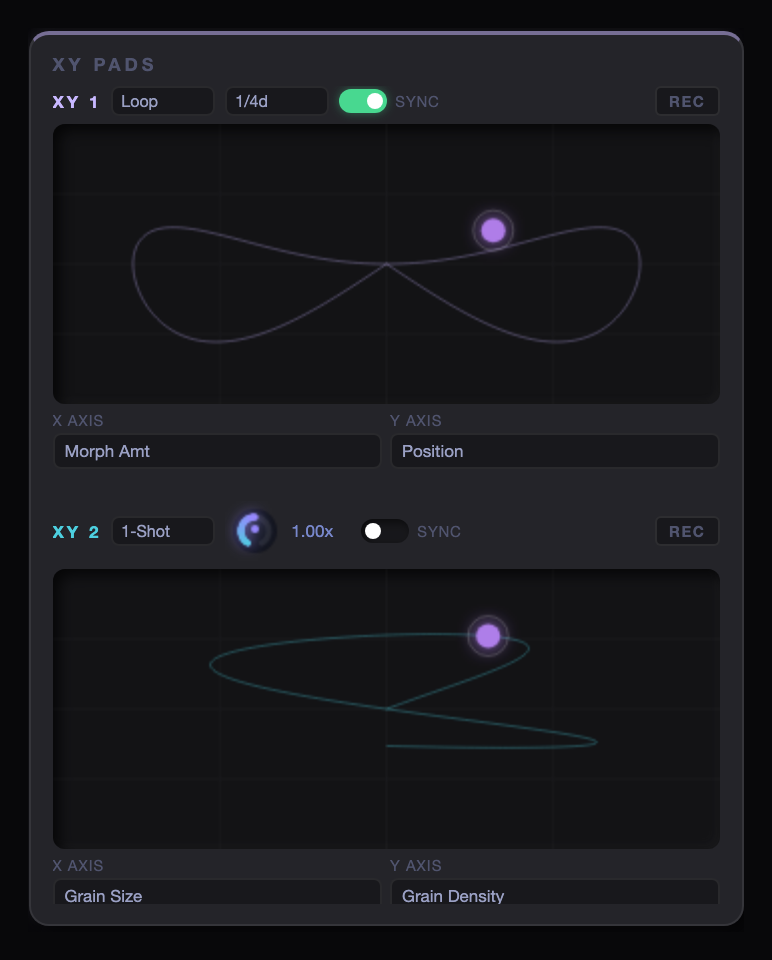
Hit REC, drag the pad, let go — Blends keeps the gesture and plays it back. Loop it in time with your host at any note division, or arm it as a one-shot so every note you play fires the move again. Change the speed, record over it, record a second one on the other pad. Each axis can drive any of 45 destinations, so one hand movement becomes a whole arrangement that repeats exactly, every bar.
Finished, not just interesting
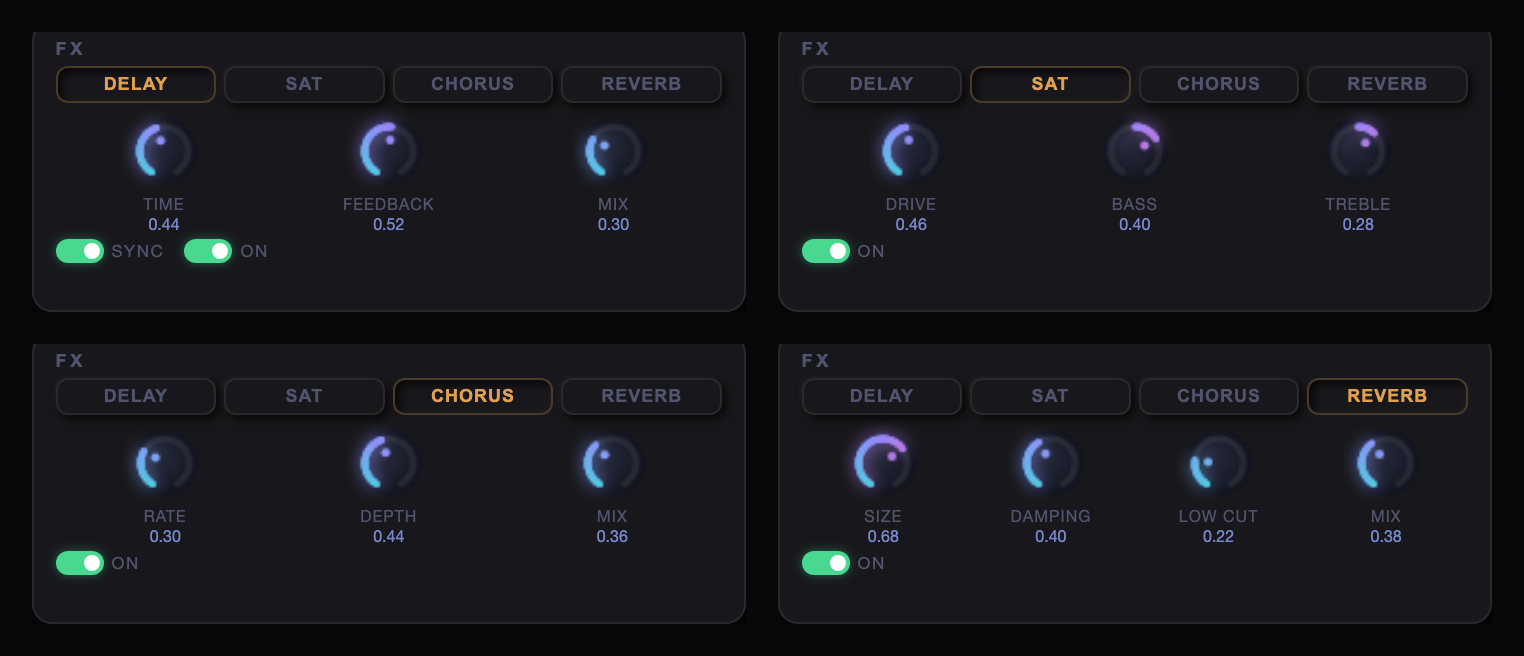
Delay with host sync, Saturation with its own bass and treble tilt, Chorus, and Reverb — all four built in, all four modulatable from the matrix. Granular output can be a fragile thing; these are the four that turn it into something you can drop straight into a mix without reaching for another plugin.
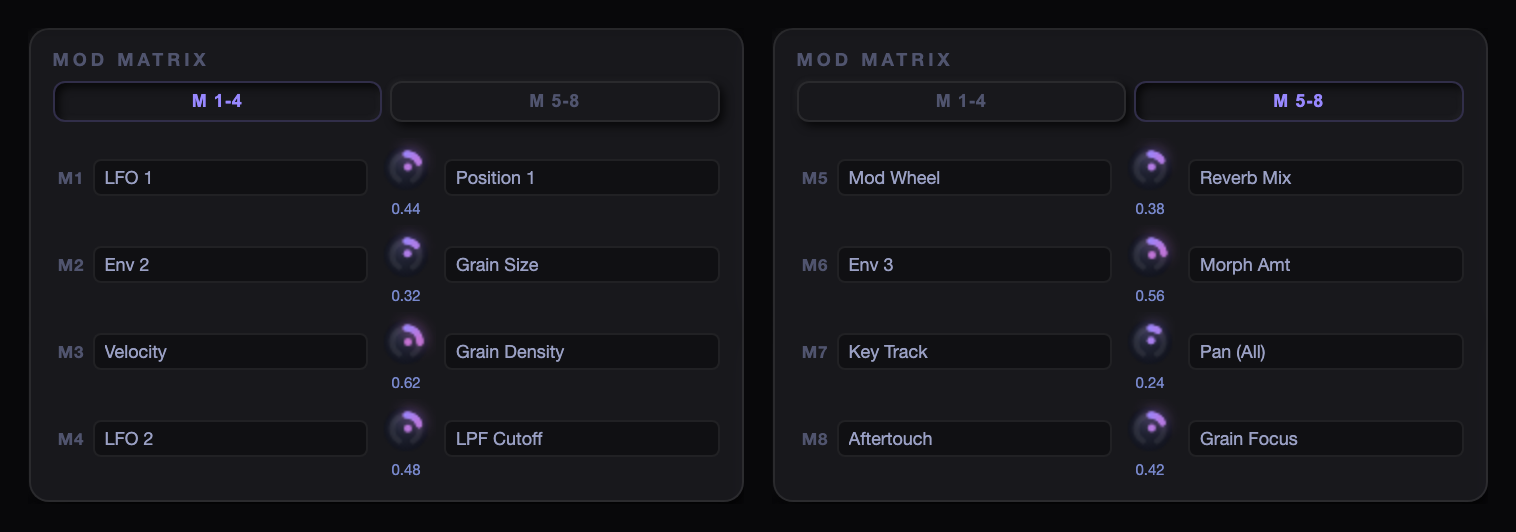
Point anything at anything
Eight slots across two banks. Ten sources — three envelopes, two tempo-syncable LFOs, velocity, key tracking, aftertouch, pitch bend and the mod wheel — into more than forty destinations, from grain size and position to filter cutoff and the effects themselves. Bipolar amounts, so a source can push or pull. None of it is required to get a great sound; all of it is there when you want one.
The idea, in one gesture
Less menu-diving.
More moving.
Map each axis to whatever you want to hear change, then drag. Sound design stops being a form to fill in and starts being something you do with your hands — and once you have found the move, Blends will keep making it for you.
Try it freeWhat's inside
The details
Deep enough to disappear into, simple enough to open and play.
- Formats
- Standalone · AU · VST3 · AAX
- Presets
- 100+ handcrafted presets, plus Random Sample from your own library
- XY pads
- Two pads · 45 assignable targets per axis · gesture record, loop & one-shot playback
- Modulation
- 8-slot mod matrix · 10 sources · 40+ destinations · 3 envelopes · 2 tempo-syncable LFOs
- Effects
- Delay (host-syncable) · Saturation · Chorus · Reverb
- Voices
- 12-voice polyphony
- Filters
- IIR low-pass & high-pass, built-in limiter
- License
- One payment · every machine you own · offline activation
- Systems
- macOS 10.11+ · Windows 10+ · Linux (mainstream distros)
Try the whole thing
Not a cut-down demo: the complete plugin, every feature and every format, in 20-minute sessions. Restart it as often as you like. No account, no card, nothing to uninstall later — and it is the very same download you keep when you buy.
- Every feature unlocked, including presets
- Standalone, AU, VST3 and AAX
- macOS, Windows and Linux
€29 €39
One payment and it is yours. Your key arrives by email within a minute and unlocks the copy you already installed — on every machine you own, for every future update, for as long as you keep making music.
- No subscription, ever
- Offline activation — no account, no dongle, no phoning home
- Free updates, and support from the person who wrote the DSP
Questions
Good to know
Do I need to understand granular synthesis to use it?
No. Load a preset or hit Random Sample, grab an XY pad, and start moving. The depth is there when you want it, but you can get lost in it on day one without reading a manual.
What exactly does XY Pad Rec record?
The movement itself, not the audio. Press REC, drag the pad, and Blends keeps the shape of that drag. Play it back looped to your host tempo at any note division, or as a one-shot that restarts on every note you play — at the speed you recorded it or any other. It is saved with the preset and with your session, and each pad holds its own.
How does the free trial work?
The trial is the full plugin — every feature, every format — running in 20-minute sessions. Restart it as often as you like. No account, no card, nothing to uninstall later.
What happens when I buy?
You get a license key by email within a minute. Paste it in once and Blends is unlocked — on every machine you own, for every future update. Activation is fully offline; there is no account and no dongle.
Which DAWs does it work in?
Anything that loads AU, VST3 or AAX — Ableton Live, Logic, Pro Tools, Cubase, Reaper, FL Studio, Bitwig. There is a standalone app too if you just want to play.
Huge thanks to our beta testers & sound designers